AppSnap AppSnap
Sprache
Change Video Speed Fast & Slow

Change Video Speed Fast & Slow

Muhammad Mujahid Khan Photo & Video 10 Extraktionen

Screenshots

iPhone Screenshots (7)

iPhone 截图 1
Screenshots 1
iPhone 截图 2
Screenshots 2
iPhone 截图 3
Screenshots 3
iPhone 截图 4
Screenshots 4
iPhone 截图 5
Screenshots 5
iPhone 截图 6
Screenshots 6
iPhone 截图 7
Screenshots 7

iPad Screenshots (7)

iPad 截图 1
Screenshots 1
iPad 截图 2
Screenshots 2
iPad 截图 3
Screenshots 3
iPad 截图 4
Screenshots 4
iPad 截图 5
Screenshots 5
iPad 截图 6
Screenshots 6
iPad 截图 7
Screenshots 7

App-Beschreibung

App-Beschreibung

1837 Zeichen

Edit video speed in seconds — slow down, speed up, or batch-export a whole stack. Preview, then save to Photos.

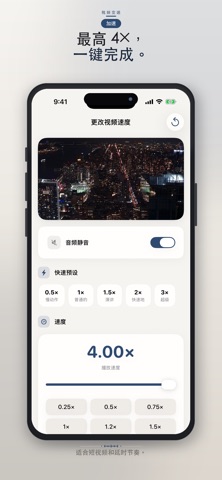
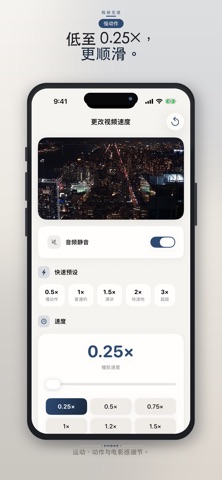
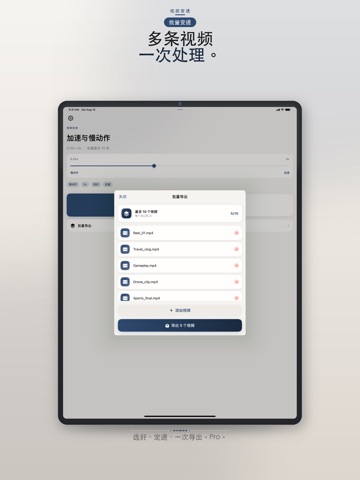
Change Video Speed is a simple video speed editor for iPhone and iPad. Adjust playback from 0.25× to 4×, mute or keep audio, and export in a tap. Most speed apps force you to process clips one by one. Pro batch export does up to 10 at once.

KEY FEATURES
• Batch export (Pro) — change the speed of multiple videos in one tap. Ideal for reels, sports series, and drone dumps
• Speed up clips for vlogs, reels, and time-lapse style pacing (up to 4×)
• Slow motion down to 0.25× for sports, action, and detail
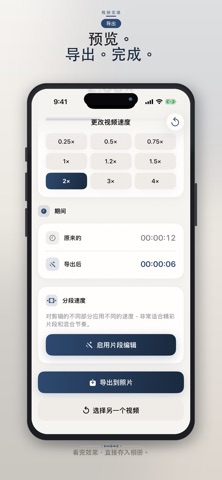
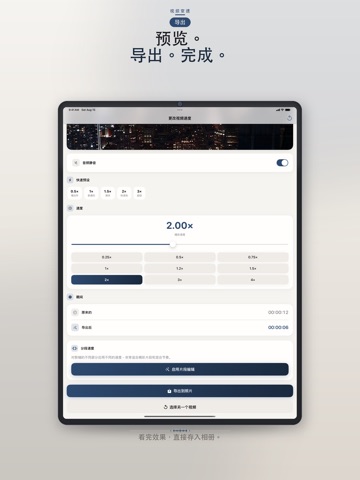
• Real-time preview before you export
• Keep original audio or mute it
• Import from Photos or Files (Downloads, iCloud Drive, USB)
• Save to Photos and share to Instagram, TikTok, WhatsApp, and more

PRO FEATURES
• Batch export up to 10 videos at the same speed
• Every speed unlocked (including above 1.25×)
• High-definition export, no ads
• Segment speed — apply different speeds to different parts of a clip

WHO IT’S FOR
Content creators, social media managers, drone videographers, students watching lectures faster, sports slow-mo, travel time-lapse, and anyone tired of exporting one file at a time.

HOW IT WORKS
1. Choose a video from Photos or Files — or open Batch Export
2. Set speed with presets or the slider
3. Preview
4. Export one clip, or export the whole batch to Photos

SUBSCRIPTION INFORMATION
Weekly, Monthly, and Yearly plans available. Subscriptions auto-renew unless cancelled at least 24 hours before the end of the current period. Manage or cancel anytime in your Apple ID Account Settings.

Support: https://justclack.blogspot.com
Privacy Policy: https://justclack.blogspot.com/p/privacy-policy.html
Apple Standard EULA: https://www.apple.com/legal/internet-services/itunes/dev/stdeula/

App-Beschreibung

Versionshinweise

164 Zeichen

• Batch export up to 10 videos at once (Pro)
• Import from Files as well as Photos
• Segment speeds in one clip (Pro)
• Smoother rendering performance and bug fixes

Versionshinweise

Vollständige App-Informationen (JSON-Format)

Vollständige App-Informationen (JSON-Format)

Vollständige App-Informationen (JSON-Format)