AppSnap AppSnap
Langue

Captures d'Écran

iPhone Captures d'Écran (29)

iPhone 截图 1
Captures d'Écran 1
iPhone 截图 2
Captures d'Écran 2
iPhone 截图 3
Captures d'Écran 3
iPhone 截图 4
Captures d'Écran 4
iPhone 截图 5
Captures d'Écran 5
iPhone 截图 6
Captures d'Écran 6
iPhone 截图 7
Captures d'Écran 7
iPhone 截图 8
Captures d'Écran 8
iPhone 截图 9
Captures d'Écran 9
iPhone 截图 10
Captures d'Écran 10
iPhone 截图 11
Captures d'Écran 11
iPhone 截图 12
Captures d'Écran 12
iPhone 截图 13
Captures d'Écran 13
iPhone 截图 14
Captures d'Écran 14
iPhone 截图 15
Captures d'Écran 15
iPhone 截图 16
Captures d'Écran 16
iPhone 截图 17
Captures d'Écran 17
iPhone 截图 18
Captures d'Écran 18
iPhone 截图 19
Captures d'Écran 19
iPhone 截图 20
Captures d'Écran 20
iPhone 截图 21
Captures d'Écran 21
iPhone 截图 22
Captures d'Écran 22
iPhone 截图 23
Captures d'Écran 23
iPhone 截图 24
Captures d'Écran 24
iPhone 截图 25
Captures d'Écran 25
iPhone 截图 26
Captures d'Écran 26
iPhone 截图 27
Captures d'Écran 27
iPhone 截图 28
Captures d'Écran 28
iPhone 截图 29
Captures d'Écran 29

Mac Captures d'Écran (1)

Mac 截图 1
Captures d'Écran 1

Description de l'Application

Description de l'Application

662 caractères

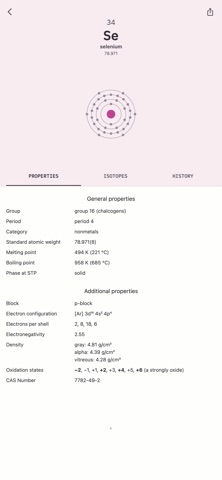
Periodex is a simple, responsive way to explore the periodic table of elements. We hope it provides a quick and enjoyable reference for students and enthusiasts.

Periodex has just began. We plan to add more features and information. If there's a way that we can make it more valuable to you, please let us know!

To use Periodex, simply hover over an element to reveal addition information on the info panel on the right side. You can click on an element to lock the focus. Click again to unlock. You can toggle the info panel by clicking the info button on the top bar.

Periodex is designed to be flexible. Grab a corner and adjust the size to fit your needs.

Description de l'Application

Informations Complètes de l'Application (Format JSON)

Informations Complètes de l'Application (Format JSON)

Informations Complètes de l'Application (Format JSON)