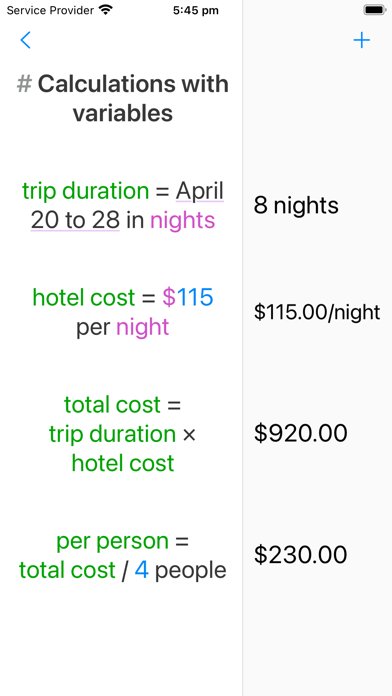
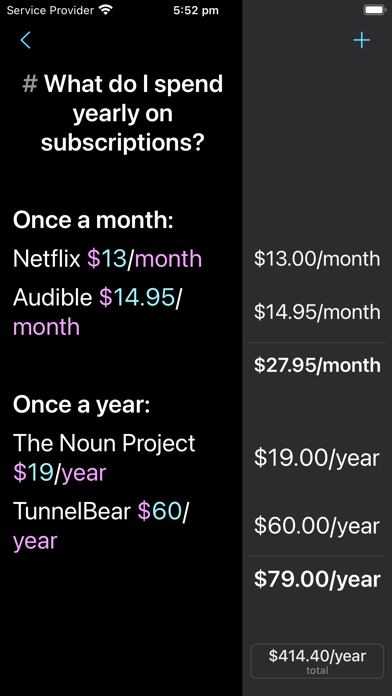
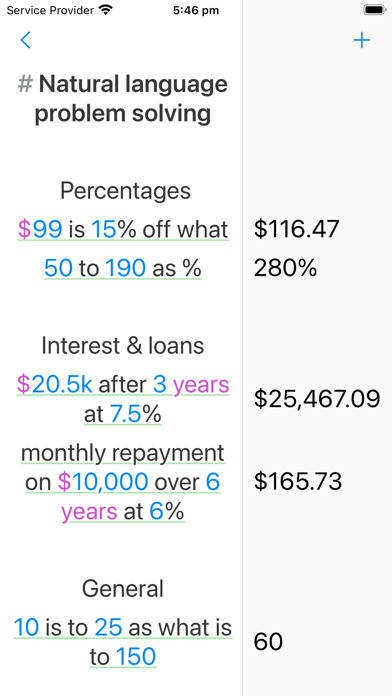
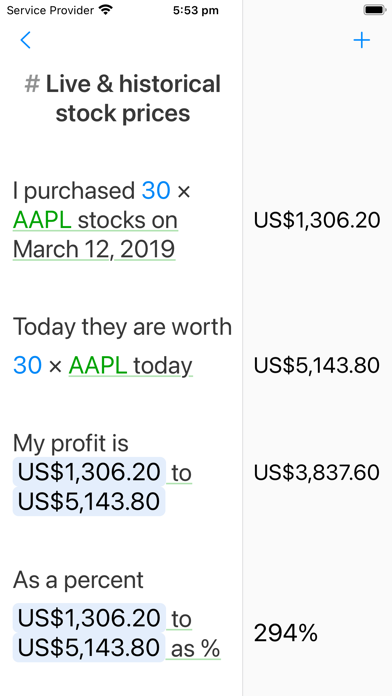



Ever reach for a calculator and the back of an envelope to work something out? That's what Soulver is for.
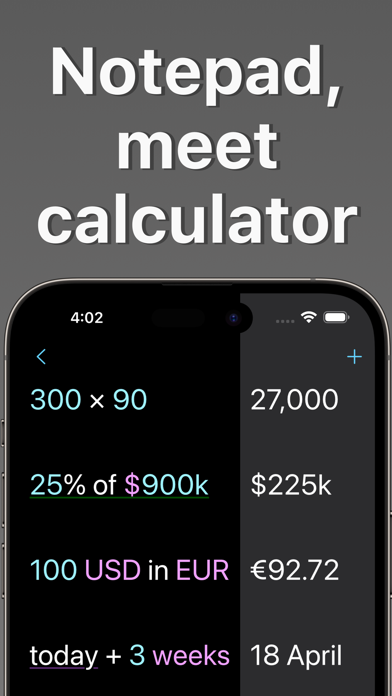
It's a natural-language notepad calculator: think through a problem line-by-line, using plain words and numbers. The answers appear alongside each line as you type.
Soulver isn't just a calculator app — it's the paper you'd scribble on to figure something out. Except this paper does the numbers for you, so you stay thinking at the level of your problem.
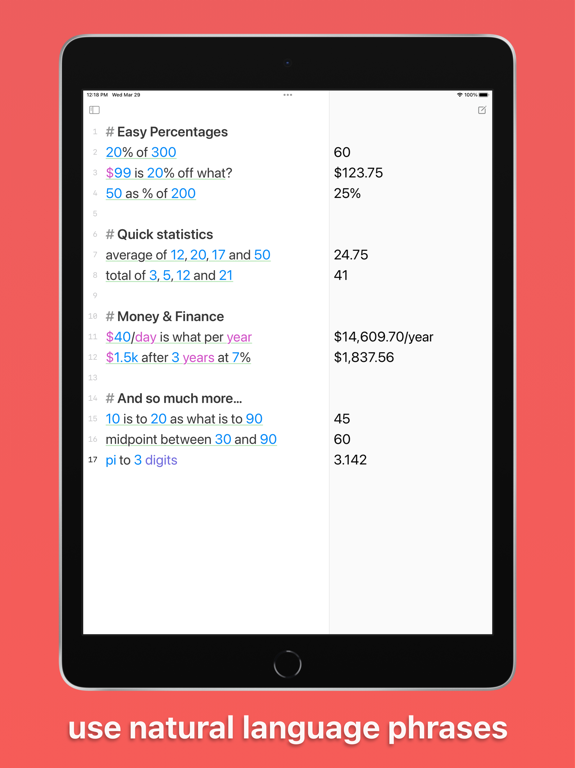
20% of $1,480 | $296
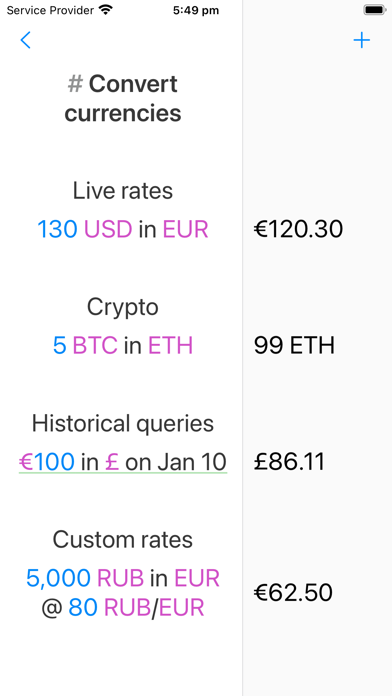
$100 in EUR | €86
240 km in miles | 149 mi
$1,200 + 15% tax | $1,380
3 weeks from today | June 21
Because Soulver uses sheets (like Notes), you can explore different ideas: weigh options, change variables and watch everything update.
WHAT CAN SOULVER CALCULATE?
– Live currency conversions — 190 currencies, including crypto
– Percentages in plain language — "20% off $50", "$50 is what % of $200"
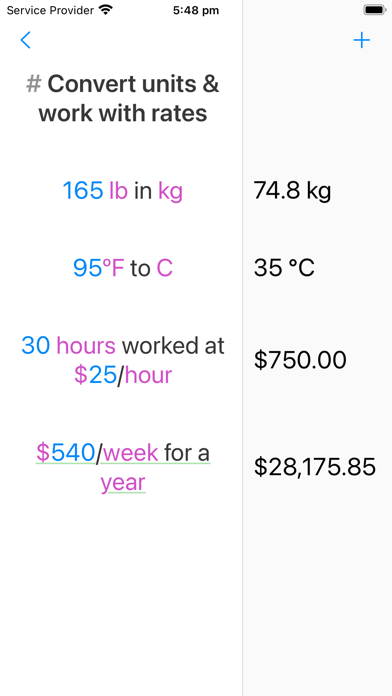
– Unit conversions — hundreds of units across length, weight, volume, data and more
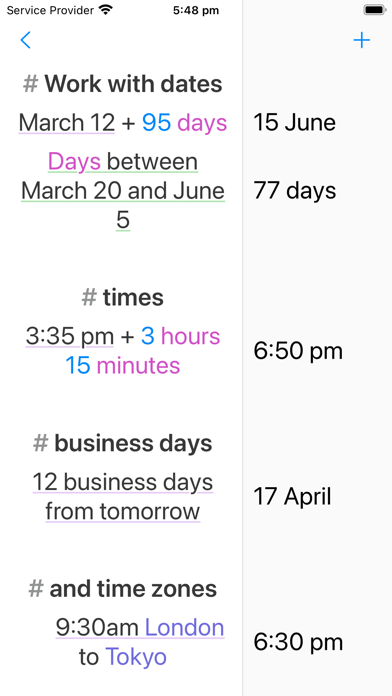
– Dates & time — "days until Christmas", time intervals, clock and video-timecode math
– Time-zone conversions — "3pm New York to London"
– Sums & averages
– Financial functions — compound interest, mortgage repayments, hourly rates
It's the closest thing to an on-device universal calculator ever created.
DESIGNED FOR IPHONE
– A meticulously designed numeric keyboard that makes calculating fast
– Six specialised accessory keyboards — for currencies, percentages, dates & times, and variables
– Build your own custom keyboard with the buttons you reach for most
BEST-IN-CLASS ON IPAD
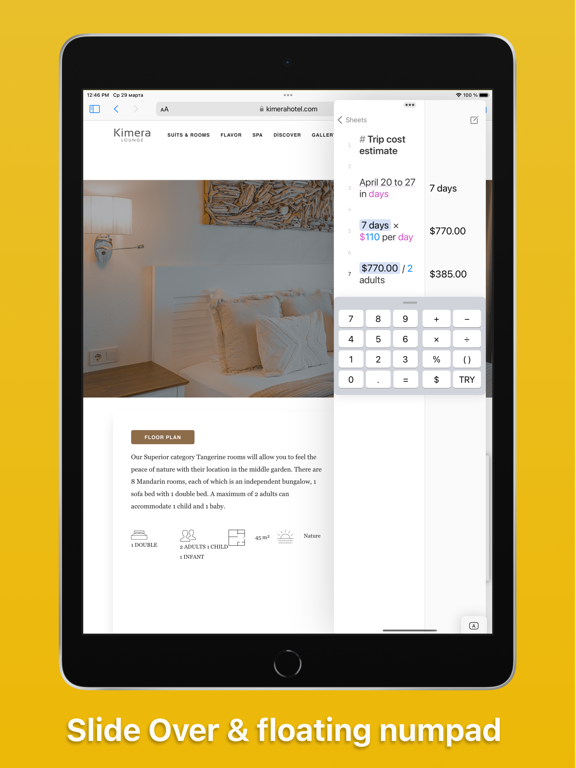
– Multiple windows, Slide Over & Split View — float Soulver alongside Notes or Safari
– Full Magic Keyboard support with dozens of keyboard shortcuts
– Scribble & Apple Pencil
– Find & replace, a line-styling palette and a powerful text editor
– Automation with URL schemes & Siri Shortcuts
POWER USER FEATURES
– Multi-word variables — "total cost = $750"
– Inline tokenized references to previous answers
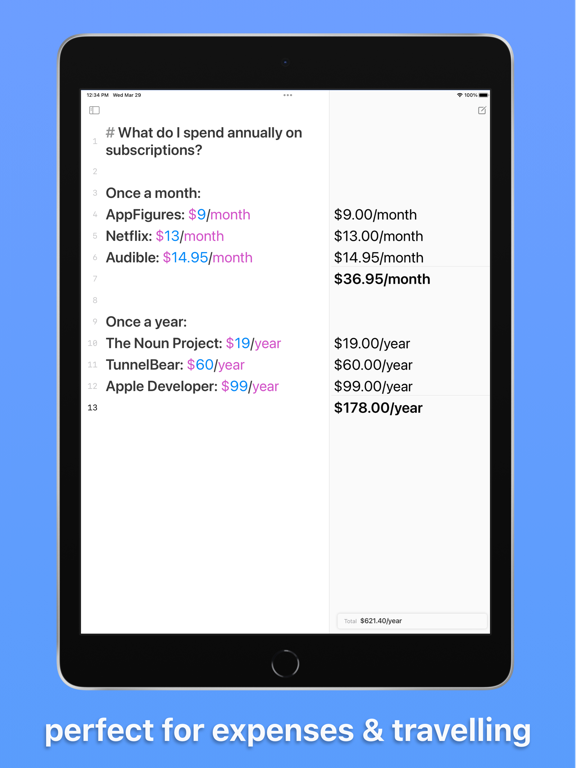
– Subtotals, tags & trip planning
– Wolfram|Alpha integration
– Headings, comments, labels & dividers to structure long sheets
– Custom units and global variables in the definition sheet
SHARING & SYNC
– Sync your sheets with Soulver 4 for Mac via iCloud
– Export to PDF & plain text, or send beautiful HTML emails
– Share a calculation as an image — just take a screenshot
ONE TIME PURCHASE
Soulver is a one-time (non-subscription) purchase.
We've been refining and improving Soulver since 2005, and major paid updates average once every 7 years.
Try it free for 60 days, no commitment, no automatic charge.
——————————————————————————————
Terms of Use (EULA):
https://www.apple.com/legal/internet-services/itunes/dev/stdeula/
GENERAL
NUMBER PAD
– Improved trackpad performance when moving the cursor (hold down the "2" key)
– The number pad on iPhone is now the same height as the system keyboard, so switching between them is smoother
– Modernized the appearance of key popovers for iOS 26 & 27
– Fixed the cursor scrolling behind the keyboard switcher (thanks Conlan)
SETTINGS
– Settings are reorganized to match the Mac, with new General and Behavior panes
– Styling can override the system appearance (light/dark mode), and reset the text colors to their defaults
– Behavior sets what tapping an answer copies: the answer, the expression & answer, or the unformatted one
– The keyboard switcher can keep its place at the bottom of the number pad, or float above the keyboard — Apple no longer allows it at the bottom of the system keyboard
– Fixed editing the work hours field on iPad, which now has a stepper (thanks Michael)
– The “open a new sheet on launch” setting now waits for 10 minutes away, and works the same however you return
SYNC
– iCloud sync is now a single toggle, rather than a choice of storage location
– You can enable iCloud syncing for a sheetbook you selected manually, matching the Mac
– The sync console now shows the state of iCloud and both copies of your sheetbook, beside the log
BACKUPS
– The backups view shows how much space backups use, with an option to delete them all
– The backups folder is now capped, so it can’t grow to gigabytes over time (thanks Gurudas)
EDITOR
– The floating total is now a Liquid Glass capsule, and readable by VoiceOver
– Long line-reference titles truncate instead of overflowing behind the answer column
– Fixed line height in Thai, Arabic, Hebrew and Devanagari sheets (thanks Suppasit)
– Fixed pasting emoji copied from another line in Soulver (thanks Seth)
– Fixed an unwanted space when pasting a number after a currency symbol (thanks Bruce)
– Fixed the cursor ending up in the wrong place after an undo
CALCULATOR
INFLATION
– Inflation calculations in 5 more currencies: EUR, AUD, GBP, CAD and JPY
– The latest monthly figures now update from the web, not only with app updates
– Month-by-month inflation in the current year — $100 from January worth today → $102.66
PLACES & TIME ZONES
– Time zone, weather & distance calculations work for any place on Earth, via the internet
– More time zone syntaxes: time in Tokyo when it is 9am in London → 5:00 pm, and Monday 9am Delhi in nyc → 11:30 pm
– Typing an ISO date like 2026-09-13 no longer reformats it under the cursor
UNITS
– Dividing a money rate by a time amount: $500/month / 30 days → $16.67/day
– Imperial lengths now multiply to imperial units: 10 ft x 12 ft x 6 in → 60 ft³
– Added the aliases “sq ft”, “sq in”, “sq yd” and “sq mi”
– A cast specifier forces one unit to be another rather than converting — 5 km cast miles → 5 mi
INCOME & SALES TAX
– Income tax infers the country from the currency: income tax on $50k CAD is taxed in Canada
– Income tax works on a salary written as a rate: income tax on 4,000 AUD/month → $512.33/month
– Fixed VAT on 100 having no answer without a currency symbol
LUNAR CALCULATIONS
– Moon phase is computed on device, needing no web access — moon phase → Waxing Gibbous
– Fixed a lunar day calculation needing an edit to update when the day changed
MULTIPLIERS
– A multiplier like 1.8x is a value you can type & assign — Speed = 1.8x, then 59 min at Speed → 32 min 46 s
CULTURAL EVENTS
– Hanukkah is now a date Soulver knows — Hanukkah 2026 → 4 December (thanks Glenn)
PERCENTAGES
– Percentages can be expressed as “1 in x” ratios — 1 in 20 as % → 5%, and 40% is 1 in what → 1/2.5
VARIABLES
– Superscripts work with variables (r = 5, then r² → 25)
– Variable names may contain parentheses
LANGUAGES
– Fixed number words like 1 million & 5.5 billion not being recognized in Chinese, Japanese & Korean (thanks Yoshihiko)
– Fixed trips counting in nights not working in German, French, Russian and Chinese
Cikakken Bayanin App (Tsarin JSON)
Cikakken Bayanin App (Tsarin JSON)