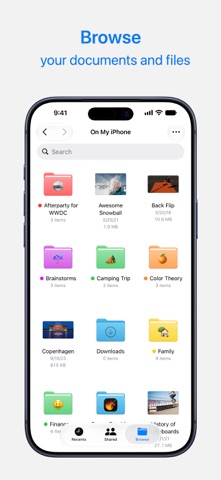


Access and organize your files no matter where they’re located — on your device, in the cloud, on an external drive or file server— with Files. The Recents view displays the files you’ve been working on lately in high-resolution thumbnails. Use the powerful Browse view to navigate folders, organize your files with tags, move files between folders, and search. Files also makes it easy to access iCloud Drive and third-party cloud storage services such as Dropbox, Box, and OneDrive.
Features
• Press the Files icon in the Dock or Home screen to quickly open a file from anywhere
• Connect an external drive or SD card to your device to access the files
• Connect to a file server at work or a home PC using SMB from Files
• Use tags to organize files stored with different cloud providers and across different apps.
• Pin your favorite folders in Browse view for quick access to the ones you use most.
• Give people access to any file stored in iCloud Drive by sharing a link from the Files app
• Drag and drop to select files and organize them into folders
전체 앱 정보 (JSON 형식)
전체 앱 정보 (JSON 형식)