








Zenmoney is more than just an expense tracker. It’s your personal finance assistant and smart money analyst. It helps you see the full picture, brings clarity to your financial life, and supports your long-term well-being.
Rely on accurate data. When everything is transparent, you can make calm and confident decisions, focused on your real goals and priorities.
Track spending and income automatically
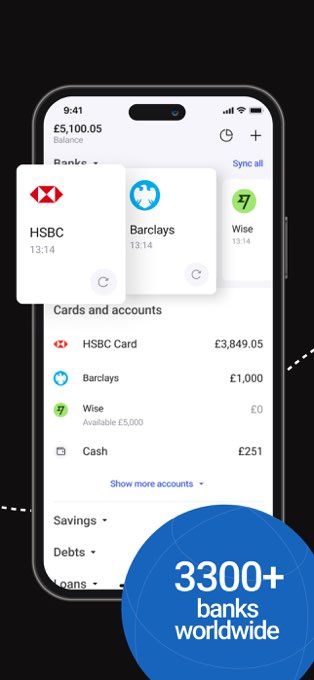
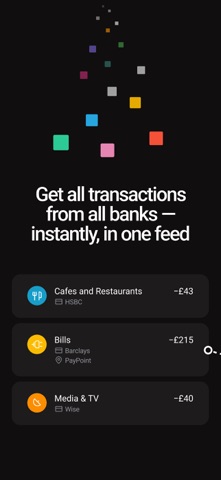
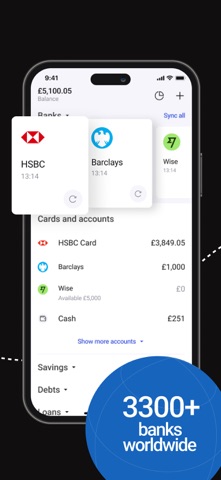
Zenmoney connects all your bank accounts and cards in one place, supporting over 3,300 banks worldwide. It automatically imports and categorises transactions across cards, cash, investments, savings, and even crypto accounts. There’s no need for manual entry — you get a clear, complete picture of your finances at a glance.
You can also customise categories to match your personal needs and enjoy a detailed overview of your spending and income without any routine.
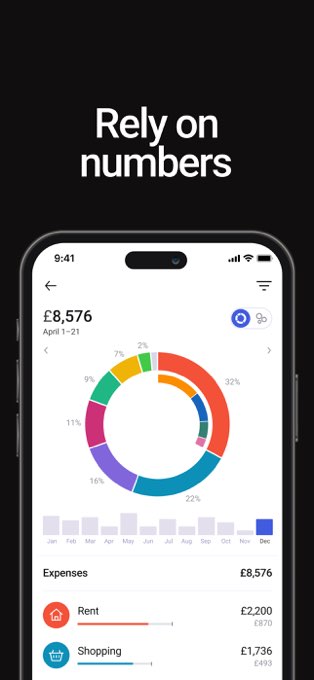
Analyse your spending and understand your habits
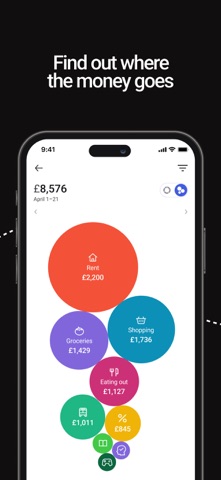
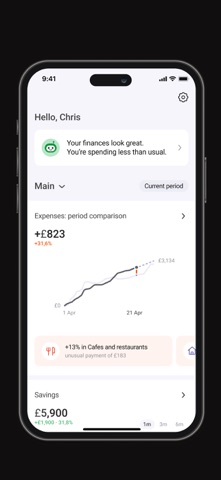
Zenmoney helps you see where your money goes each month and compare your spending across different periods. It highlights trends: which categories are growing, which are shrinking, and what impacts your overall budget the most.
You also get a clear balance of income vs expenses, so you can easily spot if your spending starts to outpace your earnings.
The app tracks your savings progress and shows how your reserves change over time — including how many months you could live without income, helping you build a stronger financial cushion.
Get personalised insights with a AI-powered assistant
Zenmoney features an AI assistant that helps you understand your current financial situation, set goals, and create custom analytical charts — even those not included in standard reports.
It can also analyse and compare spending across categories, generate insights for custom time periods, find old transactions, and suggest expenses you might want to optimise. With this personalised support, you gain a deeper understanding of your finances and make more confident decisions.
Plan your budget and stay on top of future spending
With Zenmoney, you can plan your essential expenses or create a full monthly budget. Choose whichever works best for you. You can schedule future calendar payments or set spending limits for specific categories and goals, and the app calculates your overall budget automatically.
You’ll also see how much disposable income is left for spontaneous spending, and easily decide how much to put into virtual saving pots for each goal.
The AI forecasts future spending based on your habits and history and highlights regular payments, upcoming bills, and subscriptions. All of them appear in a simple bill calendar, helping you avoid late fees and stop paying for subscriptions you no longer use.
Bring Zen to your finances
Zenmoney helps you get a clear view of your finances, plan thoughtfully, and feel at ease with your money.
Instead of a traditional “home bookkeeping” approach, Zenmoney acts as your personal finance assistant. It remembers what matters to you, reminds you about upcoming payments, helps you understand spending patterns, and shows how much you can safely spend or save.
Terms of Use: https://www.apple.com/legal/internet-services/itunes/dev/stdeula/
Just a small update this time: a few fixes and improvements to keep Zenmoney running smoothly.
For ideas and questions, join our chat: https://t.me/zenmoneychat_en
完整应用信息 (JSON 格式)
完整应用信息 (JSON 格式)